
The M6, Apple’s first 2nm chip. Image: Apple.
Buy by memory, not by chip name. Apple put the M5 Mac Studio and M6 Mac mini up for pre-order this week. Neural Engines and “Neural Accelerators” sound impressive, but they do not decide whether a large model loads. Two numbers do: how much unified memory you get, and how fast that memory can move data.
I simulated all 13 configurations through llmfit, an open-source model-to-hardware checker built by Alex Jones, a good friend and former colleague from the London software scene, against the current open-weight lineup as of 28 August: Kimi K3, Qwen3.8-Max, DeepSeek V4, LongCat 2.0, GLM-5.2, Gemma 4, gpt-oss and the rest.
The pattern came out cleaner than I expected:
- 32GB mini: chat, private documents and light coding help
- Max 128GB: honest daily drivers (gpt-oss-120b, DeepSeek V4-Flash, Llama 4 Scout, Nemotron 3 Super)
- Ultra 256GB: 400B class and mid-pack coding (MiniMax M3, GLM-5.2); subscription downgraded, not cancelled
- 512GB Ultra: desk ceiling for open weights that fit, often at Q8. Still hybrid: Claude or Codex for the hard 20%. The biggest open downloads (Kimi K3, Qwen3.8-Max) will not load on any Apple config either.
Four terms, once
- Unified memory (RAM). On these Macs, the CPU and GPU share one pool of memory. For local AI, that pool is the hard limit: if the model does not fit, it does not run. More memory means a bigger model can load.
- Model size (B). The “B” means billions of parameters, the knobs inside the model. A 27B model is smaller than a 120B model; a 2.8T (trillion) model is in another league. Bigger usually means smarter, and it always needs more memory.
- tok/s. Tokens per second: roughly how fast the model writes. Higher is snappier. Chat feels fine around the teens; heavy coding agents want more. Local tok/s is a speed number; the cloud bills those same tokens. I wrote up what a token is, and why cloud coding bills for them.
- Open model. Weights you can download and run on your own machine (often called open-weight), as opposed to a cloud API you rent by the month or by the token.
What you want → what to buy
Find the row that matches your actual workload. Want the full receipts? Jump to the fit matrix.
| What you want | Minimum RAM | Machine to look at |
|---|---|---|
| Private chat, documents, light coding help | 16–32GB | Mac mini M6 (32GB is the comfortable floor) |
| Serious daily local models (gpt-oss-120b, DeepSeek V4-Flash class) | 64–128GB | Mac Studio M5 Max, or M5 Pro mini at 64GB if you only need that model |
| 400B class and mid-pack coding (GLM-5.2, MiniMax M3). Most daily prompts local; subscription downgraded, not cancelled | 256GB | Mac Studio M5 Ultra |
| Every open model that fits on a desk, often at Q8. Still hybrid: Claude or Codex for the hard work. Biggest open downloads (Kimi K3, Qwen3.8-Max, LongCat) stay off-desk too | 512GB | Mac Studio M5 Ultra (late October) |
Pre-orders are open now, first machines land 22 September, and the 512GB tier arrives in late October.
The fit matrix
In a hurry? The quick pick above is enough. This matrix is the receipt: every model worth running locally, against every machine Apple sells. Find your model, read across the row, and buy the cheapest column with a green tick.
Fit is that quant’s memory footprint against each machine’s usable memory: Perfect under 60%, Good under 85%, Marginal under 98%, Too Tight beyond. A model never rates worse on a bigger machine. Each model is scored on one representative quant, the best from a trusted publisher that runs on the smallest machine it can.
| Model | Mac mini | Mac Studio | |||||||||||
|---|---|---|---|---|---|---|---|---|---|---|---|---|---|
| M6 | M5 Pro | M5 Max | M5 Ultra | ||||||||||
| 16GB | 24GB | 32GB | 24GB | 48GB | 64GB | 36GB | 48GB | 64GB | 128GB | 96GB | 256GB | 512GB | |
| giant open | |||||||||||||
| Kimi K3 2.8T | ✗ | ✗ | ✗ | ✗ | ✗ | ✗ | ✗ | ✗ | ✗ | ✗ | ✗ | ✗ | ✗ |
| Qwen3.8-Max 2.4T | ✗ | ✗ | ✗ | ✗ | ✗ | ✗ | ✗ | ✗ | ✗ | ✗ | ✗ | ✗ | ✗ |
| DeepSeek V4-Pro 1.6T | ✗ | ✗ | ✗ | ✗ | ✗ | ✗ | ✗ | ✗ | ✗ | ✗ | ✗ | ✗ | ◐12 |
| LongCat 2.0 1.6T | ✗ | ✗ | ✗ | ✗ | ✗ | ✗ | ✗ | ✗ | ✗ | ✗ | ✗ | ✗ | ✗ |
| Ling 2.6 1T | ✗ | ✗ | ✗ | ✗ | ✗ | ✗ | ✗ | ✗ | ✗ | ✗ | ✗ | ✗ | ◐2.4 |
| GLM-5.2 743B | ✗ | ✗ | ✗ | ✗ | ✗ | ✗ | ✗ | ✗ | ✗ | ✗ | ✗ | ✓15 | ✓15 |
| Nemotron 3 Ultra 550B | ✗ | ✗ | ✗ | ✗ | ✗ | ✗ | ✗ | ✗ | ✗ | ✗ | ✗ | ✓11 | ✓11 |
| mid | |||||||||||||
| Llama 4 Maverick 400B | ✗ | ✗ | ✗ | ✗ | ✗ | ✗ | ✗ | ✗ | ✗ | ✗ | ✗ | ✓34 | ✓34 |
| Qwen3.5 397B-A17B | ✗ | ✗ | ✗ | ✗ | ✗ | ✗ | ✗ | ✗ | ✗ | ◐18 | ✗ | ✓34 | ✓34 |
| DeepSeek V4-Flash 284B | ✗ | ✗ | ✗ | ✗ | ✗ | ✗ | ✗ | ✗ | ✗ | ✓23 | ◐45 | ✓45 | ✓45 |
| MiniMax M3 427B | ✗ | ✗ | ✗ | ✗ | ✗ | ✗ | ✗ | ✗ | ✗ | ◐30 | ✗ | ✓59 | ✓59 |
| Kimi K2.6 1.1T | ✗ | ✗ | ✗ | ✗ | ✗ | ✗ | ✗ | ✗ | ✗ | ✗ | ✗ | ✗ | ✗ |
| Nemotron 3 Super 120B | ✗ | ✗ | ◐4.2 | ✗ | ◐7.5 | ◐7.5 | ✓11 | ✓15 | ✓15 | ✓15 | ✓30 | ✓30 | ✓30 |
| gpt-oss-120b 117B | ✗ | ✗ | ✗ | ✗ | ✗ | ✓37 | ✗ | ✗ | ✓74 | ✓74 | ✓144 | ✓144 | ✓144 |
| Llama 4 Scout 109B | ✗ | ✗ | ✗ | ✗ | ◐8.8 | ◐8.8 | ◐13 | ✓18 | ✓18 | ✓18 | ✓34 | ✓34 | ✓34 |
| small | |||||||||||||
| Gemma 4 31B | ✓11 | ✓12 | ✓12 | ✓22 | ✓22 | ✓22 | ✓33 | ✓44 | ✓44 | ✓44 | ✓86 | ✓86 | ✓86 |
| Gemma 4 26B-A4B | ✓19 | ✓21 | ✓21 | ✓37 | ✓37 | ✓37 | ✓56 | ✓75 | ✓75 | ✓75 | ✓146 | ✓146 | ✓146 |
| Qwen3.8 27B | ◐7.0 | ◐7.7 | ◐7.7 | ✓14 | ✓14 | ✓14 | ✓21 | ✓28 | ✓28 | ✓28 | ✓55 | ✓55 | ✓55 |
| ERNIE 4.5 21B-A3B | ✗ | ✓20 | ✓20 | ✓35 | ✓35 | ✓35 | ✓53 | ✓71 | ✓71 | ✓71 | ✓138 | ✓138 | ✓138 |
| Granite 4.1 30B | ✓12 | ✓13 | ✓13 | ✓23 | ✓23 | ✓23 | ✓35 | ✓47 | ✓47 | ✓47 | ✓92 | ✓92 | ✓92 |
| Nemotron 3 Nano 30B | ✓23 | ✓26 | ✓26 | ✓47 | ✓47 | ✓47 | ✓70 | ✓93 | ✓93 | ✓93 | ✓182 | ✓182 | ✓182 |
| Ministral 3 14B | ◐8.1 | ◐8.9 | ◐8.9 | ✓16 | ✓16 | ✓16 | ✓24 | ✓32 | ✓32 | ✓32 | ✓63 | ✓63 | ✓63 |
| Gemma 4 12B | ✓14 | ✓16 | ✓16 | ✓28 | ✓28 | ✓28 | ✓42 | ✓56 | ✓56 | ✓56 | ✓110 | ✓110 | ✓110 |
| gpt-oss-20b 21B | ✓16 | ✓17 | ✓17 | ✓31 | ✓31 | ✓31 | ✓47 | ✓62 | ✓62 | ✓62 | ✓122 | ✓122 | ✓122 |
Legend: ✓ = fits and usable · ◐ = compromised · ✗ = won't fit · the small number is the estimated tok/s.
Reading the table. Green means the model loads; the small numbers are decode tok/s from llmfit, so compare columns rather than treating any one cell as a lab result. The 512GB Ultra is the desk ceiling for open weights that fit, not a Claude or Codex replacement: DeepSeek V4-Pro and Ling 2.6 only scrape in at demo speeds there. GLM-5.2 runs from 256GB up. The largest open downloads, Kimi K3, Qwen3.8-Max, LongCat 2.0 and Kimi K2.6, are red at every price Apple charges (K3 alone is 2.8T): too big for any desk Mac. Ultra 96GB is the odd one out, more bandwidth than Max 128GB but less memory. A tick marks the quant that fits, 2-bit to 4-bit at the tight end, Q8 at the top: quality is a trade there.
The table shows decode only. Prompt processing, the time to first token, is compute-bound, and that is where Apple’s claimed 4× jump lives. On the last generation, extra GPU cores bought roughly 22% more prompt processing but 6% more decode (llama.cpp benchmarks). Feed it long documents and agent tool output, and the £1,300 step to the 80-core Ultra earns itself in ways the tok/s column cannot see.
What you actually get for your money
You have the RAM tier from the matrix. The next question is what that spend actually buys: which models run comfortably, how fast, and whether a cloud subscription still earns its keep.
Apple’s UK store lists the Mac Studio M5 Max from £2,499 (36GB) and £3,099 (48GB), the M5 Ultra from £5,499 (96GB), the Mac mini M6 from £899, and the M5 Pro mini from £1,699. The 256GB Ultra is already configurable there; the 96GB to 256GB memory upgrade adds £4,000 on Apple’s price ladder, which puts the entry 256GB build at £9,499 before CPU or storage steps. The 512GB option is listed for late October with no published price yet. Apple dropped the 512GB M3 Ultra during this year’s memory shortage (Cult of Mac), so watch the order page when that tier opens.
How good is the code it writes? I measure that with SWE-bench Pro: models get real coding tasks from 41 software projects, and the score is the percentage they finish correctly. It replaced an older benchmark that stopped meaning much once the test questions leaked into training data. On the August 2026 vendor board, the hosted tip readers usually mean, Claude Fable 5 and Mythos Preview, sit around 80%, with GPT-5.6 Sol at 64.6% and Grok 4.5 at 64.7%. Open-weight Qwen3.8 Max posts 67.7% but is too big for these Macs. The best open weights you can actually load sit in the mid-pack: GLM-5.2 at 62.1%, MiniMax M3 at 59.0%, DeepSeek V4-Pro at 55.4%. Local clears last season’s GPT-5.5 (58.6%) and sits with GPT-5.6 Luna / Claude Sonnet 5; it does not match Fable 5 or Codex-class work. That is why the hybrid pattern below still holds.
| Budget | Machine | Top speed | Best daily drivers |
|---|---|---|---|
| Entry | Mac mini 16GB, from £899 | up to 16 tok/s | gpt-oss-20b (16), Gemma 4 12B (14) |
Chat, document Q&A over your own files (RAG: the model looks things up in your documents instead of guessing), and light coding help. Private and offline. Your subscription still earns its keep for real software work. | |||
| Compact | Mac mini 32GB, about £1,200 (est) | up to 21 tok/s | Gemma 4 26B-A4B (21), gpt-oss-20b (17) |
The same jobs with more headroom, and one genuine surprise: Gemma 4 26B scores 82.3% on GPQA Diamond, graduate-level science, from a box this size. Still not an agentic coder (a setup where the model plans, calls tools, and loops on a task without you steering every step), so keep the subscription. | |||
| Sweet spot | Studio Max 64 to 128GB, £2,499 and up (£6,899 at 4TB) | up to 74 tok/s | gpt-oss-120b (74), DeepSeek V4-Flash (23) |
Speeds shown are the 128GB figures; a 64GB Max sits between this tier and the mini. Fast local coding help on an Apache 2.0 model that runs fully in memory. Useful for agent loops, not a Claude replacement: see Can I cancel my Claude subscription?. This is where the subscription starts shrinking: the daily 80% of prompts stop costing a monthly fee. | |||
| 400B class | Studio Ultra 256GB, £9,499 | up to 59 tok/s | MiniMax M3 (59), Qwen3.5 397B (34), GLM-5.2 (15) |
GLM-5.2 at 62.1 SWE-bench Pro sits with GPT-5.6 Luna (62.7) and Claude Sonnet 5 (63.2), ahead of GPT-5.5 at 58.6 (vendor board). MiniMax M3 posts 59.0 on the same board. Neither is Fable 5 (80). No API, no per-token bill for that mid-pack work. | |||
| Desk ceiling | Studio Ultra 512GB, £15,000 to £16,500 (est, late October) | up to 15 tok/s | GLM-5.2 at Q8 (15), Nemotron 3 Ultra (11), DeepSeek V4-Pro (12) |
Everything in the open-weight world that fits on a desk, often at Q8. Speeds above are the slow giants this tier unlocks or cleans up; MiniMax still runs at 59 here. The biggest open downloads (Kimi K3, Qwen3.8-Max, LongCat) still will not load. The subscription stays: this is not a Claude or Codex replacement. | |||
Two patterns run through these numbers. Across chips, money buys a bigger model and more speed: the same Gemma 4 26B-A4B decodes at 19 tok/s on the 16GB mini and 146 on the 512GB Ultra, because memory bandwidth climbs from 153GB/s to 1.2TB/s. Within one chip, memory buys a bigger model, and speed follows active parameters instead: the Entry tier’s gpt-oss-20b outruns the Compact tier’s Qwen3.8 27B on the same M6, 16 tok/s against 8, because it is the smaller model. Memory buys model size; bandwidth and active parameters buy speed.
One row worth a second look before you jump to the Studio: the M5 Pro mini at 64GB runs gpt-oss-120b at 37 tok/s for £1,899, roughly half the Max’s entry price. If the sweet-spot model is the draw and the Studio’s extra memory is not, the Pro mini is the bargain in this lineup.
SWE-bench Pro scores above are full-precision figures; the quants that fit smaller machines trade some of that away. GLM-5.2’s 62.1 holds up well on the 512GB Ultra. Use the scores as an upper bound for what that model class can do.
Can I cancel my Claude subscription?
Not on 128GB, and the payback maths is slower than the marketing suggests on anything bigger.
Local does not replace the subscription, it shrinks it. At 128GB and up, the daily 80% of prompts, chat, RAG, boilerplate, refactors, document processing, moves onto hardware you already own at zero marginal cost. What is left is the hard 20% where you still want Claude, Codex or whatever hosted tip you already trust. You drop from a Max plan to a Pro plan, or from Pro to occasional API top-ups, not to zero.
The reverse also applies. A 512GB Ultra running GLM-5.2 at 15 tok/s is a strong local mid-pack setup (Sonnet 5 / Luna territory on SWE-bench Pro), and it is still slower per token than a cheap cloud API. You are paying £15,000 or more upfront for privacy, offline access and no metering, not for speed. Below 128GB the compact models are impressive for their size and they are not Claude.
I run this workload on a 128GB Strix Halo desktop. gpt-oss-120b was too slow and not accurate enough for my use: time to first token is noticeable on long prompts, and tok/s sits well behind a cloud subscription. The best model I have tried on that box is Qwen, and even it is a step down from Claude or Codex. Agentic coding is not one agent either: long contexts, tool outputs and parallel sub-agents each want their own context window, and a machine that comfortably holds one long agentic context does not comfortably hold five. The agentic engineering terms for sub-agents, context windows and the loop are why 128GB looks fine on paper and cramped on a desk. Speed compounds the problem: 74 tok/s is one agent’s speed, not five agents sharing the machine. My verdict for this camp: 256GB is the floor. If you plan to replace Claude or Codex with 128GB, you will be disappointed. I own a 128GB machine.
Where that leaves the five types of buyer:
| Demographic | Machine | Verdict |
|---|---|---|
| The tinkerer | mini 16 to 32GB | Chat, RAG, docs. Keeps the subscription. |
| The privacy-focused professional | mini 32GB to Max 64GB | Local for sensitive repos, subscription for the rest. |
| The daily-driver optimiser | Ultra 256GB | Most coding work local. Subscription downgraded, not cancelled. |
| The agentic power user | Ultra 256GB minimum, 512GB preferred | Hybrid pattern, modest real savings. |
| The local-first zealot | Ultra 512GB | Desk ceiling at Q8. Still hybrid: Claude or Codex for the hard 20%. Biggest open downloads still will not fit. |
The payback maths, since somebody will run it. Anthropic’s pricing page puts the top subscription at about £200 a month. Local does not cancel that bill; the honest cases are a downgrade, or an aggressive cut to a cheap plan. Against Studio Ultra prices, subscription savings alone are a slow payback:
| Scenario | Hardware | Sub change | Annual save | Rough payback |
|---|---|---|---|---|
| Full cut to £20 | Ultra 256GB, £9,499 | £200 → £20 | £2,160 | ~4.4 years |
| Downgrade Max → Pro-ish | Ultra 256GB, £9,499 | £200 → £90 | £1,320 | ~7.2 years |
| Downgrade Max → Pro-ish | Ultra 512GB, ~£15,500 | £200 → £90 | £1,320 | ~12 years |
Payback = hardware ÷ annual save. Figures use Anthropic list prices as of writing; mid-point used for the 512GB estimate (£15,000–£16,500). The highlighted row is the realistic hybrid path.
Hardware is rarely bought on subscription savings alone. Privacy, offline use, no rate limits and no metering are the real reasons; the savings are a bonus that eventually arrives.
The £20 plan still earns its keep next to a big local box: Claude and Codex on rate-limited plans run out fast on long tasks and parallel sub-agents. The realistic pattern is hybrid, local carries the bulk and the subscription tops up the hard 20%. Nobody should buy a £15,000 computer to cancel a £200 subscription. Plenty will buy it to own the stack they can run locally.
Specs for the curious
The matrix columns are these machines. Chip name is the marketing line; RAM and bandwidth are the ones that decide fit and decode speed.
Two machines, 13 configurations. The Mac Studio ships M5 Max and M5 Ultra; the mini ships M6 (not M5) plus an M5 Pro upgrade. Apple’s store lists four mini configurations, where models 1 and 2 differ only in storage. One genuine SKU quirk: the 16GB M6 runs 153GB/s against 170GB/s for the 24 and 32GB configs, so the cheapest mini gives up a little bandwidth as well as memory.
Specs come from the Mac Studio and Mac mini pages. Prices are Apple’s official UK figures from the store pages linked above.
M5 Max/Ultra Mac Studio
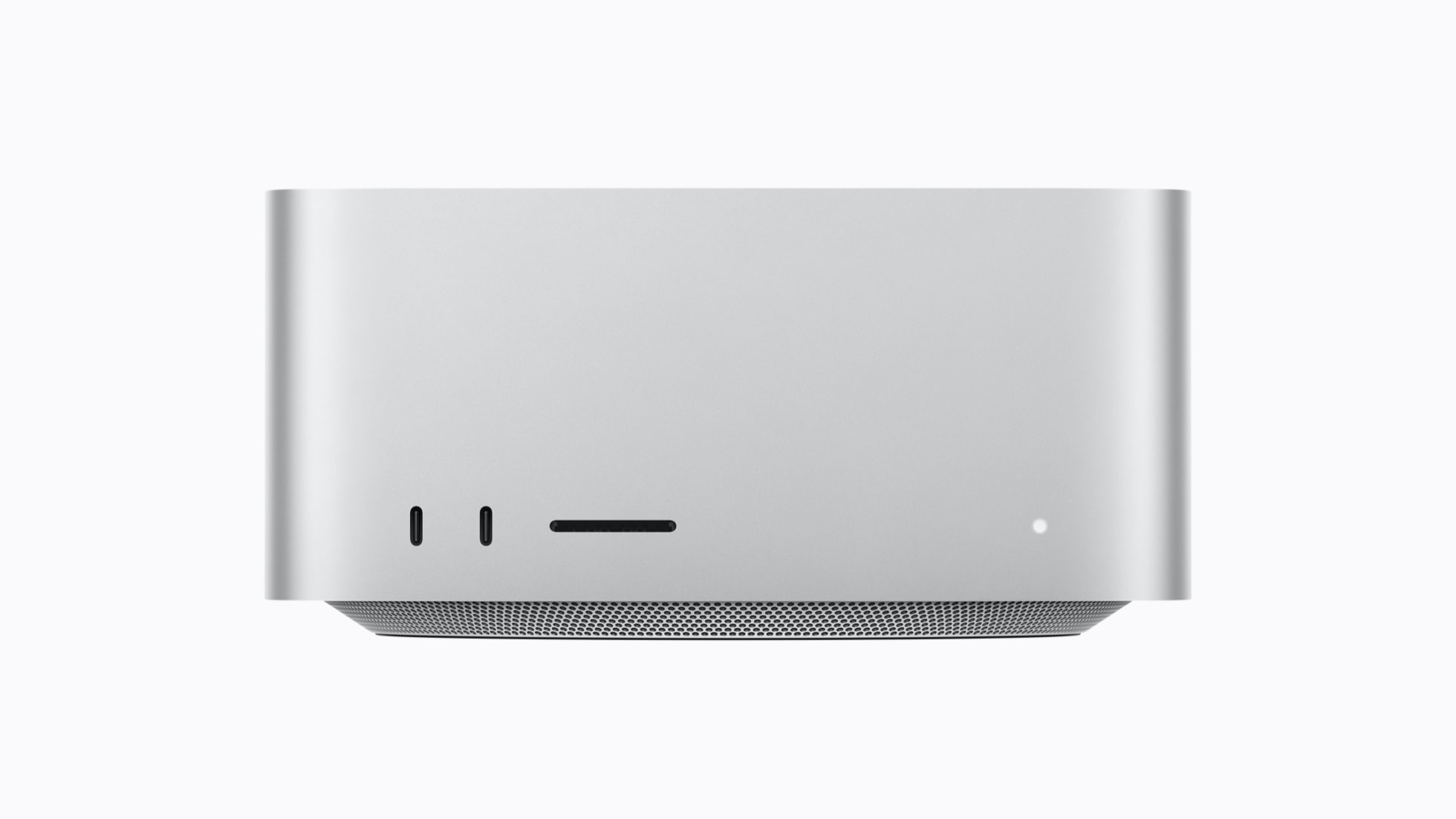
| Config | Chip | CPU/GPU | RAM | Bandwidth |
|---|---|---|---|---|
| M5 Max 36GB base | M5 Max | 18c / 32c | 36GB | 460GB/s |
| M5 Max 48GB | M5 Max | 18c / 40c | 48GB | 614GB/s |
| M5 Max 64GB | M5 Max | 18c / 40c | 64GB | 614GB/s |
| M5 Max 128GB | M5 Max | 18c / 40c | 128GB | 614GB/s |
| M5 Ultra 96GB base | M5 Ultra | 30c / 64c | 96GB | 1.2TB/s |
| M5 Ultra 256GB | M5 Ultra | 36c / 80c | 256GB | 1.2TB/s |
| M5 Ultra 512GB | M5 Ultra | 36c / 80c | 512GB | 1.2TB/s |
M5 Pro/M6 Mac mini
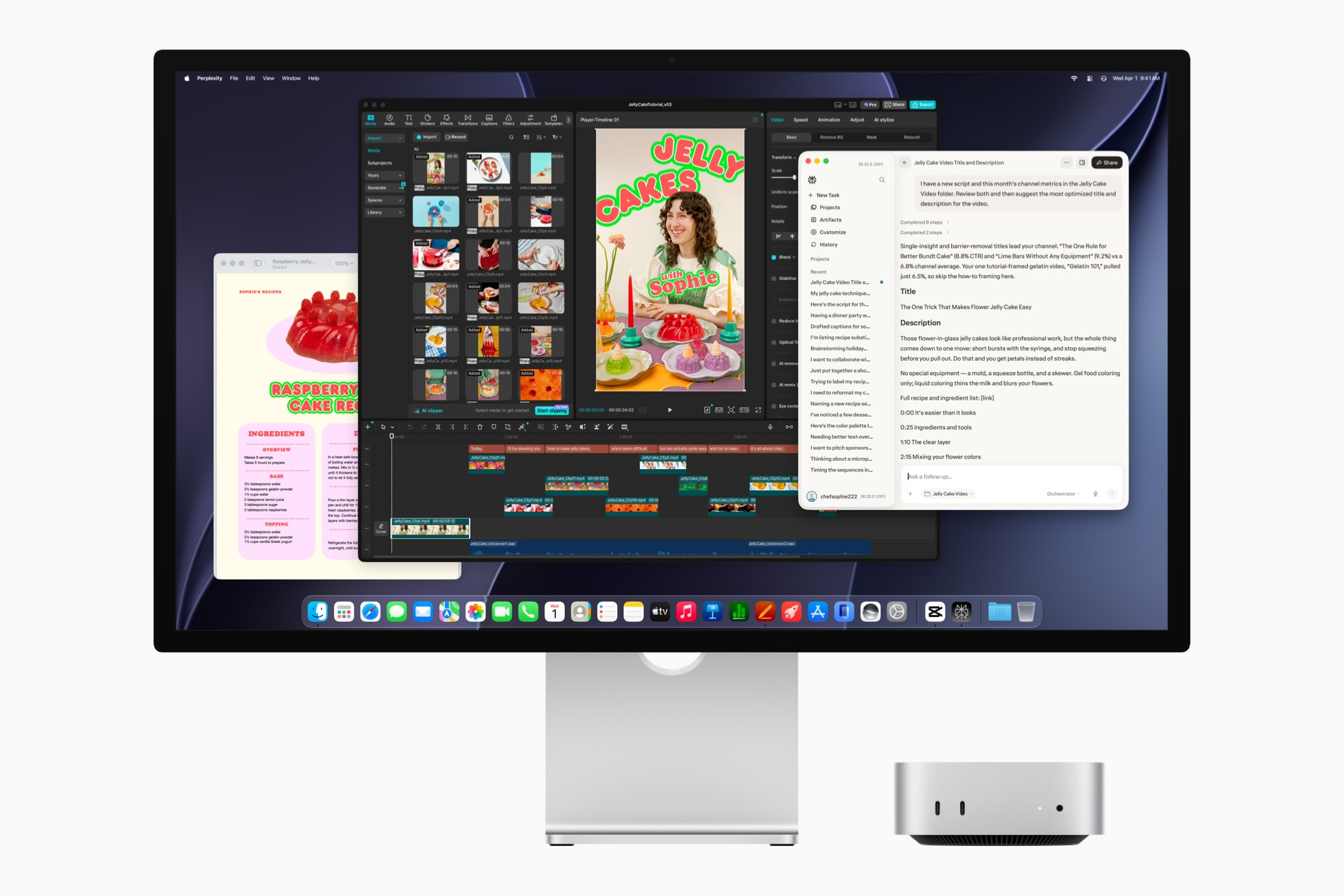
| Config | Chip | CPU/GPU | RAM | Bandwidth |
|---|---|---|---|---|
| M6 16GB (models 1/2) | M6 | 12c / 12c | 16GB | 153GB/s |
| M6 24GB (model 3) | M6 | 12c / 12c | 24GB | 170GB/s |
| M6 32GB (model 3 RAM upgrade) | M6 | 12c / 12c | 32GB | 170GB/s |
| M5 Pro 24GB (model 4 base) | M5 Pro | 15c / 16c | 24GB | 307GB/s |
| M5 Pro 48GB (model 4) | M5 Pro | 15c / 16c | 48GB | 307GB/s |
| M5 Pro 64GB (model 4, 18c/20c upgrade) | M5 Pro | 18c / 20c | 64GB | 307GB/s |
How much storage do you actually need?
RAM decides whether a model loads. SSD decides whether you can keep more than one. Sweet-spot weight files already run past 100GB; Ultra giants sit in the 300–450GB range, and downloads need spare room whilst they land.
Comfortable sizes below come from llmfit’s disk_size_gb (three largest fitting models + 100GB OS + download scratch, rounded up to an Apple SKU). Workings: disk_comfort.py and the comfort table.
| Tier | Need | Comfortable SSD |
|---|---|---|
| Entry / Compact | 158–212 GB | 256 GB |
| Pro mini / Max 36–64 GB | 232–329 GB | 512 GB |
| Sweet spot (Max 128 GB) | 566 GB | 1 TB |
| Ultra 96 GB | 440 GB | 1 TB |
| 400B class (Ultra 256 GB) | 1,073 GB | 2 TB |
| Desk ceiling (Ultra 512 GB) | 1,882 GB | 4 TB |
Entry / Compact: bump to 512 GB if you keep more than three small models on disk.
Apple’s base SKUs undershoot on most tiers: mini often 256GB, Pro mini and Max 512GB, Ultra 1TB. Neither RAM nor SSD is upgradable later, so configure storage when you order. Cold models can sit on a Thunderbolt drive; keep the active set internal.
How I ran the numbers
llmfit scores every model on Hugging Face against your hardware, estimates decode speed from memory bandwidth scaled to each chip’s published figure, and its override flags simulate any machine: llmfit --memory 512G --ram 512G --cpu-cores 36 fit --json. Two judgement calls shaped the tok/s column. Mixture-of-experts models read only their active experts per token (about 5.1B of gpt-oss-120b’s 117B), so they run far faster than their file size suggests; I scored those from active parameters rather than total download. Where llmfit’s own speed model runs conservative, I calibrated against published measurements and kept the lower end. SSD recommendations reuse each fit row’s disk_size_gb through disk_comfort.py: top three fitting models + 100GB OS + download scratch, round up to an Apple SKU, bump one tier if that drive would be more than 85% full. The thirteen runs behind this post ship as raw JSON in the analysis repo.
Reproduce it yourself
If you want to check my work, install llmfit and run the same flags.
macOS (Homebrew or uv/pipx):
brew install uv           # or: brew install pipx
uv tool install llmfit    # or: pipx install llmfit
Linux (uv or pipx):
uv tool install llmfit # or: pipx install llmfitWindows (WSL or native Python):
pipx install llmfitThen simulate any config:
llmfit --memory 512G --ram 512G --cpu-cores 36 fit --jsonDrop the --json and llmfit opens an interactive TUI instead. Press S to change the simulated hardware live and watch every verdict re-rank.
llmfit --memory 128G --ram 128G --cpu-cores 18It is a handy way to sanity-check any config before committing to it.
The thirteen simulation runs behind this post are in the mac-studio-m5-analysis repo as raw JSON, along with the per-config docs and the command list.
If your model class is already covered at 128GB, the Max is the sensible buy. If you need the 400B class or want the mid-tier giants at comfortable speeds, it is the Ultra.
Comments
Comments are unavailable right now.